Search that actually finds
Search by title, objective, reward or item. Filter by trader, map, level and whether the quest is required for Kappa.
 Tarkov.space
Escape from Tarkov · Your Tarkov Guide
Objectives, rewards, where it is on the map and what you need to hand over. Open several quests in tabs, mark what you have finished and track your progress from any device. Compare how you are doing with other players, and keep the rest of the raid essentials on hand: maps, item search, Hideout requirements and much more.
Play Season 1 — Kord Breach — with Tarkov.space
Features
Search by title, objective, reward or item. Filter by trader, map, level and whether the quest is required for Kappa.
Click a quest and it opens as a tab without closing the others. Compare a whole chain side by side and switch with one click.
Every quest shows the map with the spot marked, pointing to the objectives you need to complete.
Set the level of each Hideout station and the list adjusts itself: it subtracts what you have built and handed over, leaving only what you still need.
Mark quests in progress and completed, track your Hideout levels, and see the overall percentage, XP earned and Kappa progress by trader and by map.
Enter another player's email or in-game nickname and see side by side who is ahead: completed quests, XP, Kappa progress, Hideout levels and performance with each trader.
tarkov.space/profile/your-nick When you sync your character, you get a public profile with your quests, Hideout and Raid statistics, which you can share with anyone you want.
New · Windows app
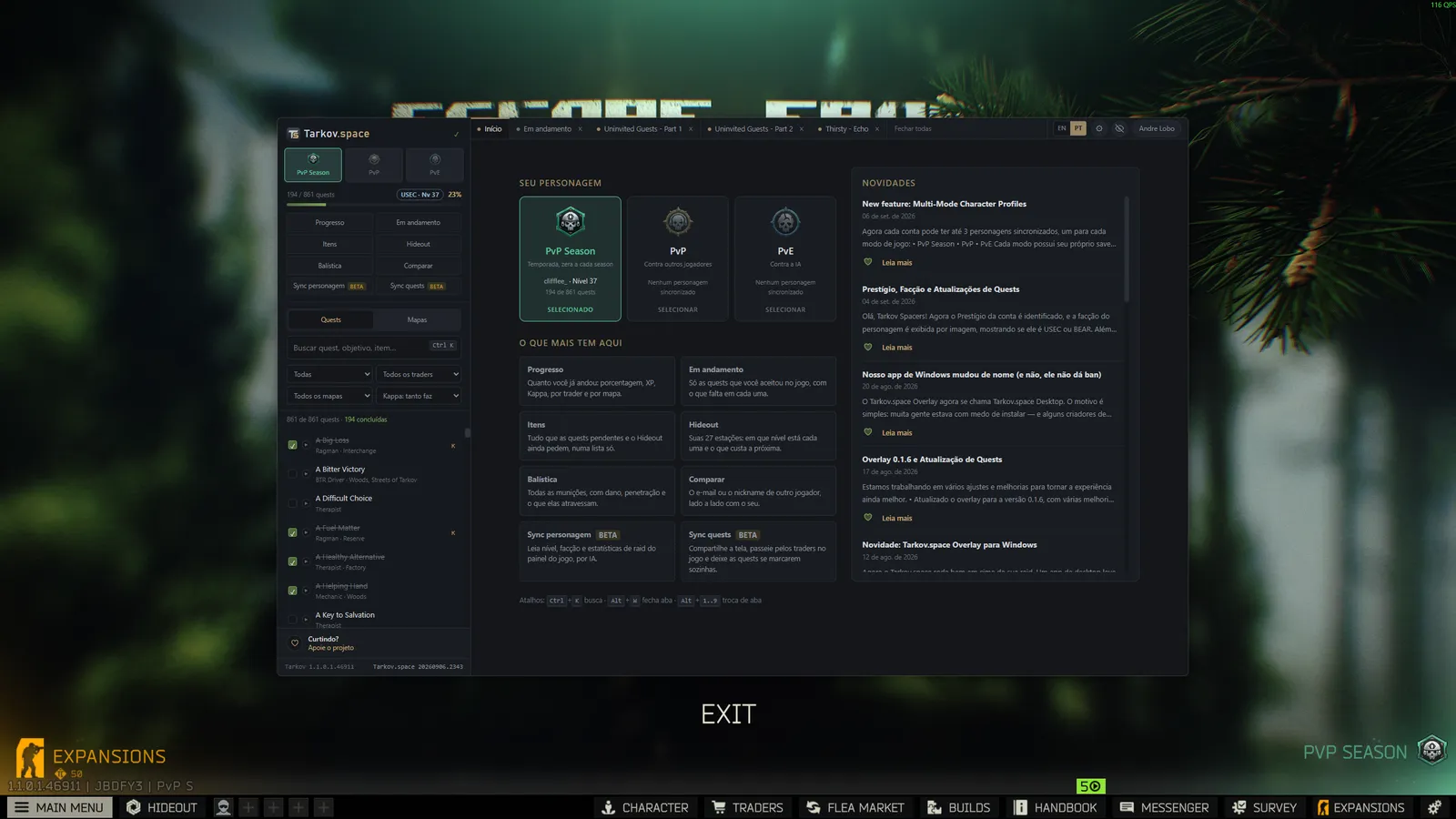
A lightweight Windows app, like any other. Use it whenever you want — with the game running or not. Mid-raid, one hotkey brings the window to the front so you can check an objective, look up an item or see where a key spawns, without alt-tabbing. Your login stays saved, so it opens straight on your Home.
Item search
Type an item name and get the whole answer: how many units your pending quests ask for, which Hideout stations use it, and whether it must be found in raid.
Get startedQuest and Character Sync
Marking 800 quests by hand was the boring part, and it's gone. Share the Tarkov window with your browser, click through the traders, and the quests mark themselves as completed or in progress as they go past on screen.
It runs entirely in your browser: nothing is installed, and nothing interacts with the game. It’s just screen sharing, similar to OBS or Discord.
The same goes for your character statistics: instead of manually entering your level, faction, kills, and hours played, simply display the Character screen and the AI will read the fields for you.
Content creators
If you stream or create Escape from Tarkov videos, we're open to partnerships. Simply tell your community about us and add a link to your page.
No exclusivity, no posting quota and nothing to install. The site is free and stays free, for you and for whoever is watching.
Support
No ads
No banners. No popups. Nothing between you and the quest you opened in the middle of a raid, because that would go against the very purpose of the site. The choice is simple: we don't make money from advertising. The server, domain, and countless hours spent keeping the wiki data up to date are funded by the project itself and, when people choose to help, by donations from the community.
Make a donationPix or card, through FanTip. Any amount helps — and none is required: Tarkov.space stays free and ad-free either way.
Have a public profile? Link your donation to it and earn a "Supporter" badge on your public profile.
We got your message. We'll reach out to you by email.